

 For schools on Transparent Classroom
Chats and feeds for your whole school, connected to Transparent Classroom
Onespot gives your school its own branded app for parent messaging, announcements, and urgent alerts. Classroom updates from Transparent Classroom flow right in, so families see everything in one place.
A short walkthrough with the Onespot team, built around your school.
Integrate in seconds
Connect your Transparent Classroom account to get:
One loginFamilies and staff sign in with their Transparent Classroom account.
Classrooms stay in syncGroups fill in from your Transparent Classroom classrooms automatically.
Announcements arrive as notificationsSchoolwide announcements posted in Transparent Classroom reach phones right away.
Flexible communication options for every situation
A clear place for every kind of message, so families always know where to look and nothing gets buried.
| Channel | Use it for | Example |
|---|---|---|
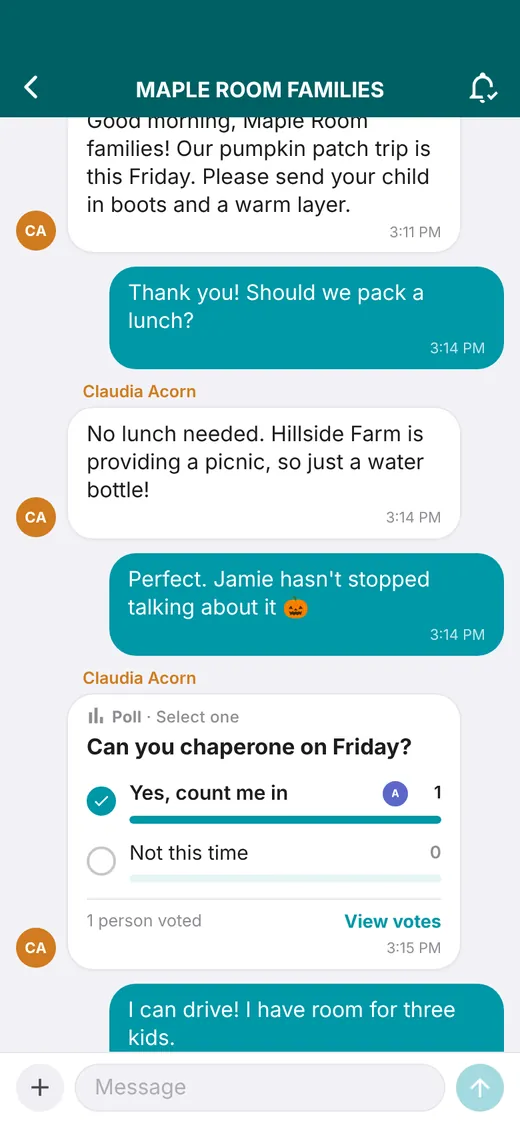
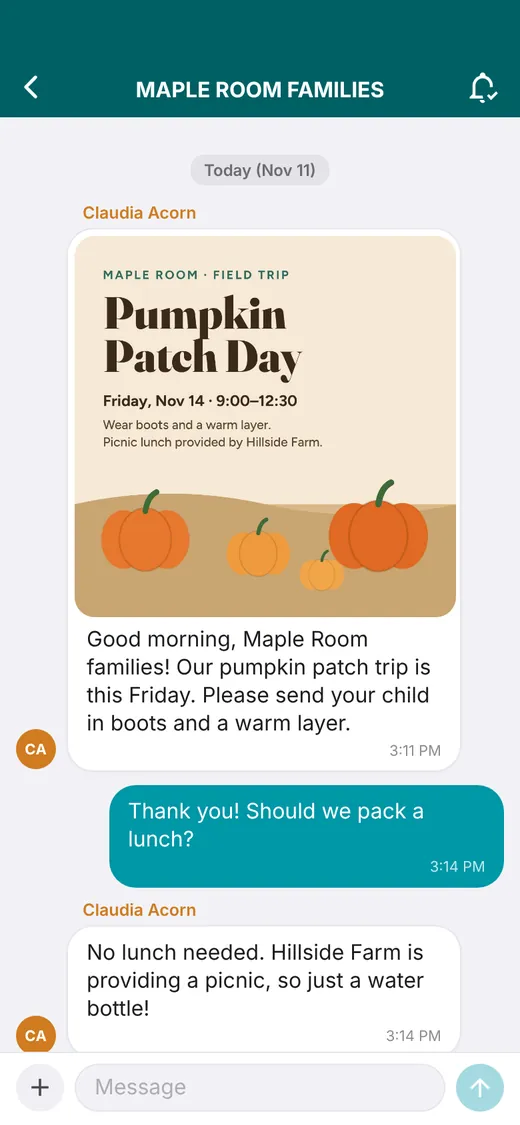
| Group chat | Day-to-day back-and-forth for a classroom, parent group, or staff team | Should we pack a lunch for the field trip? |
| Direct chat | Private questions between one family and one teacher | I'll pick Jamie up at 11 on Thursday. |
| Classroom activity feed | Classroom updates families scroll through and comment on | Save the date! Our Fall Festival is Saturday. |
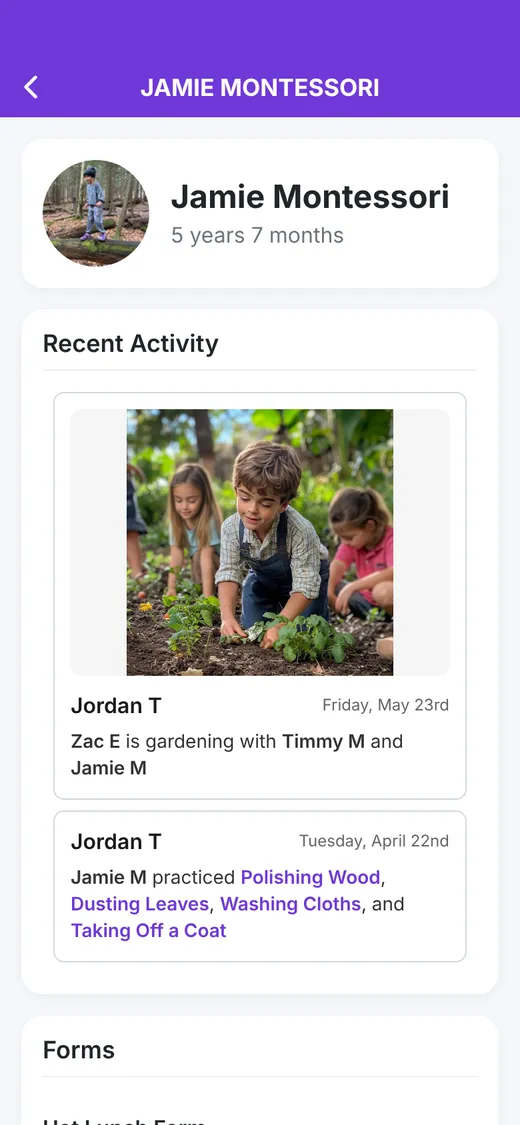
| Transparent Classroom feed | Each child's lessons, photos, and teacher notes | Jamie practiced Polishing Wood and Washing Cloths. |
| Schoolwide announcement | News for everyone, or just a few groups, by push, inbox, and email | Picture day is Tuesday, Nov 18. |
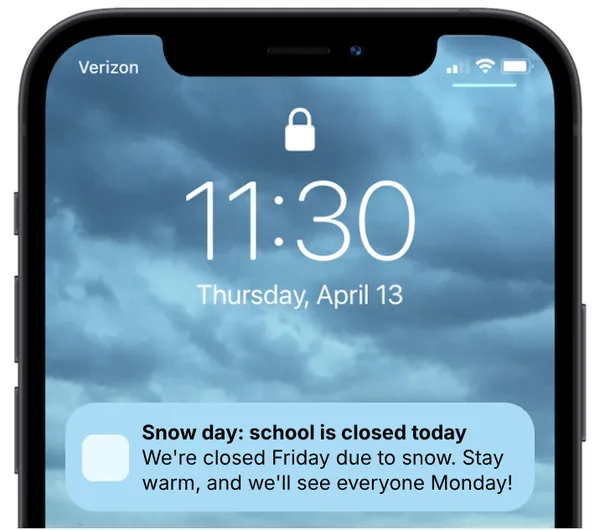
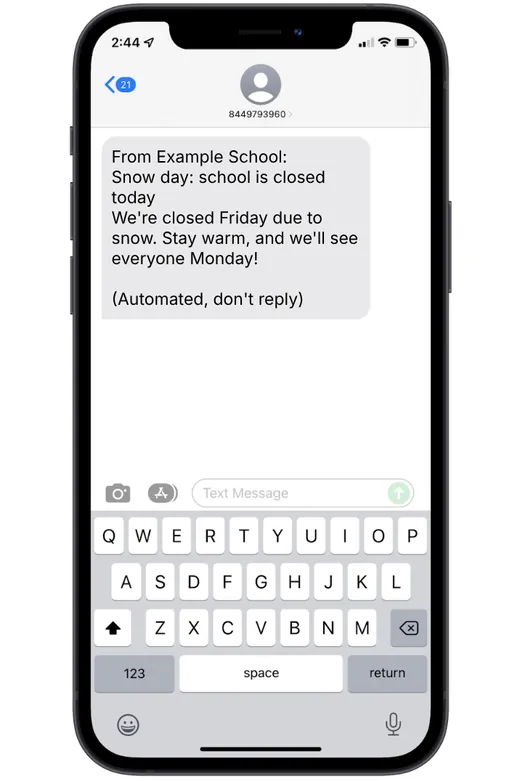
| Urgent alert | Closures, weather, and safety, by push, text, or phone call | Snow day: school is closed today. |
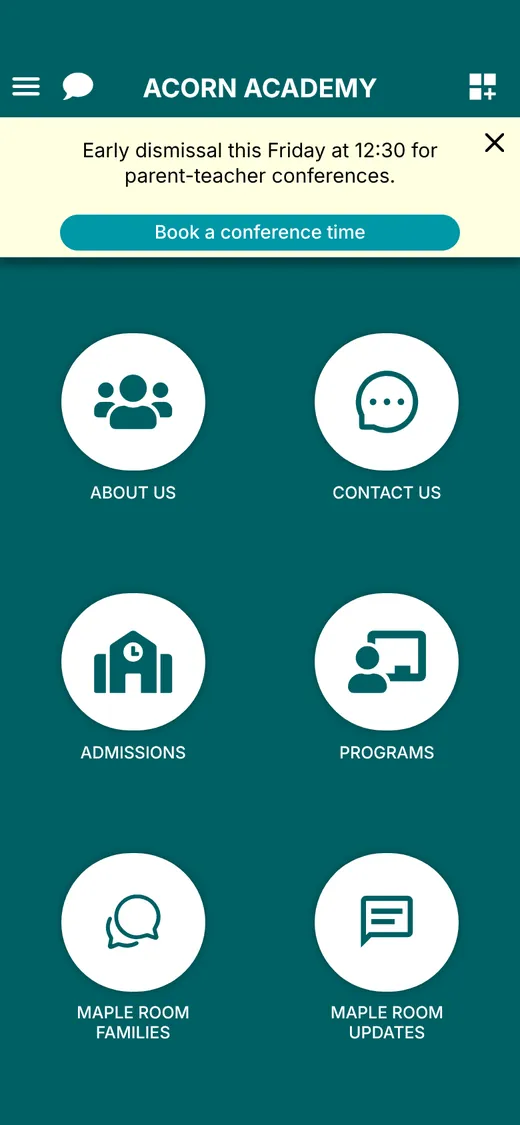
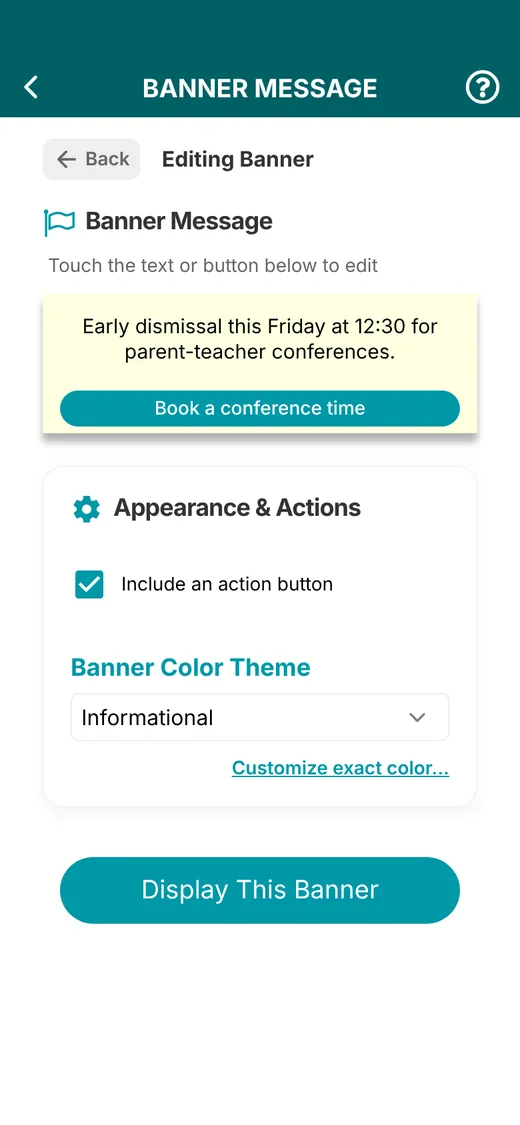
| Banner message | Time-sensitive news everyone sees when they open the app | Early dismissal this Friday at 12:30. |
Group chats and one-on-one chats
Real conversations between teachers and families, all inside your school's own app.
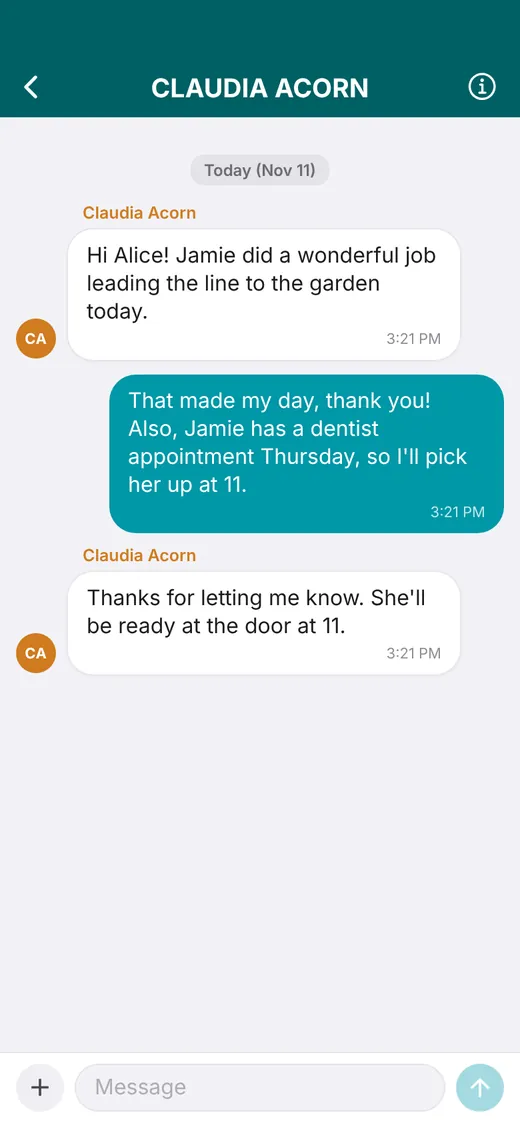
One-on-one chats, no personal numbers
Classroom chats, syncing, and activity feeds
Every classroom gets its own space, kept in sync with Transparent Classroom.
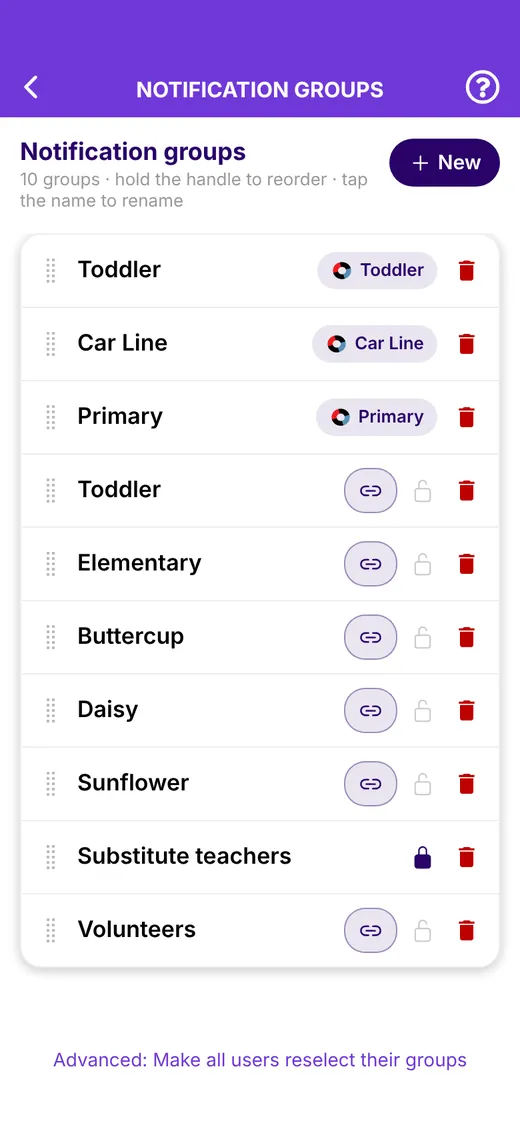
Classrooms sync automatically
Link a group to a Transparent Classroom classroom and its parents and staff join on their own. Membership updates whenever someone signs in, with a daily re-sync in the background to catch enrollment changes.
Use those groups to keep each classroom's chats, feeds, screens, and notifications with that classroom's families.
- Linked to TC classrooms
- Daily sync
- Classroom-only access
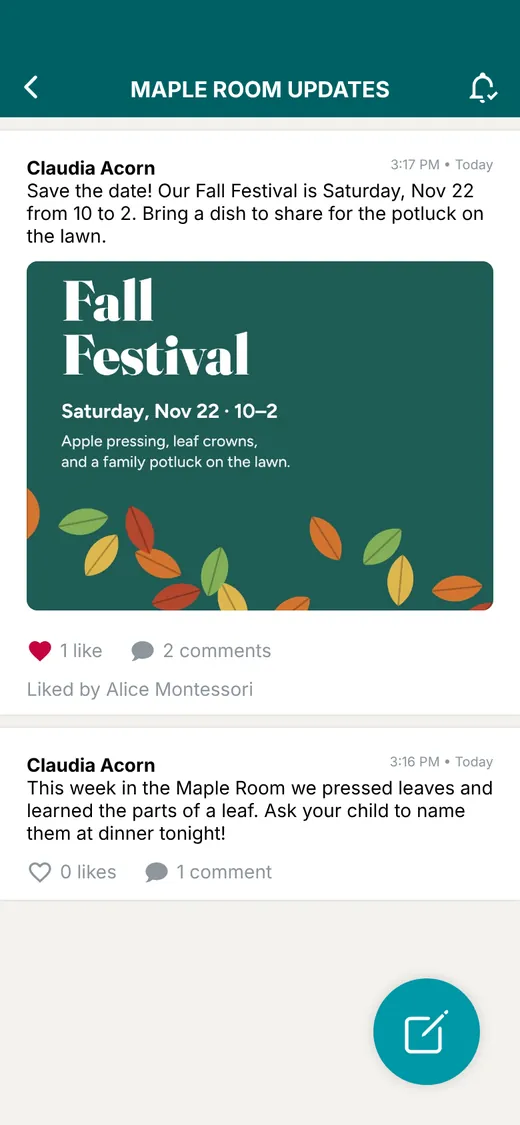
Classroom chats and activity feeds
Give each classroom a group chat for everyday back-and-forth and a feed for announcements, reminders, and discussions. Post once and every family in the classroom is notified.
You choose who postsStaff only, or open to parents. Turn comments on or off.
Photos, PDFs, and pollsShare the newsletter, the lunch menu, or a quick vote.
Posts become eventsTurn a field trip post into a calendar event.
Feed or chat lookScroll like a social feed or switch to chat bubbles.
Each child's day, straight from Transparent Classroom
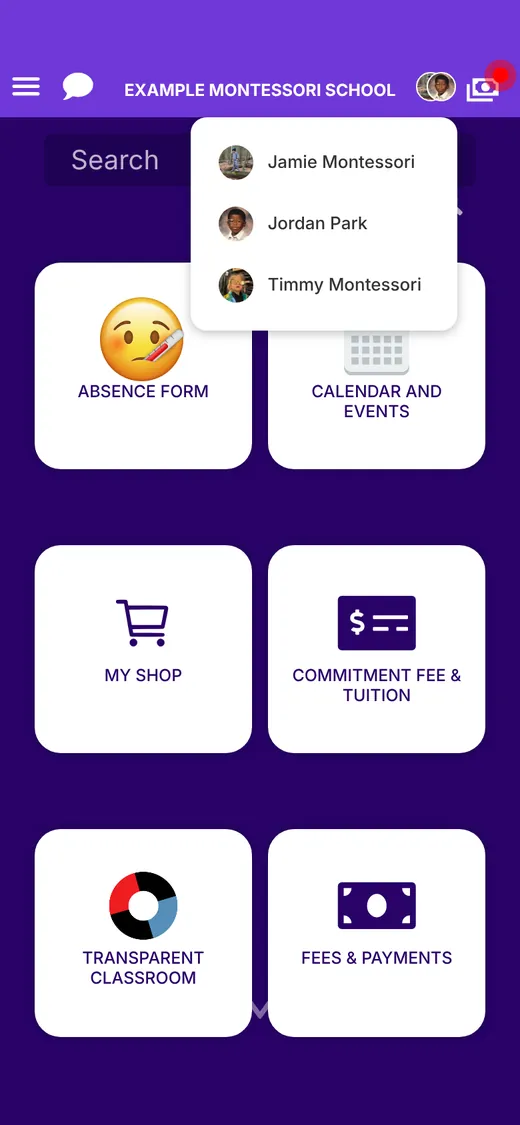
Teachers keep recording in Transparent Classroom. Families tap their child's photo on the home screen to see it, with no second login.
See it with your own classroomsWe'll set up the walkthrough around your Transparent Classroom classrooms and how your school communicates today.
Book a demoAnnouncements, SMS, and push alerts
Reach the whole school in seconds, tied into Transparent Classroom announcements.
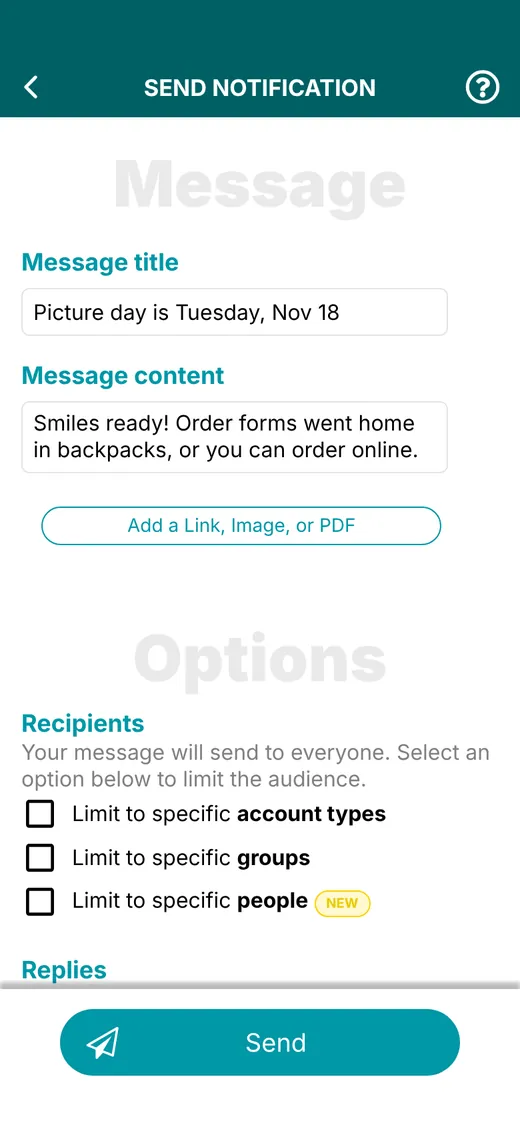
Schoolwide announcements
Post once and reach everyone by push notification, in-app inbox, and email. Schedule announcements ahead or set them to repeat, and attach images, PDFs, or a link.
Need a smaller audience? Limit any announcement to a classroom, an account type such as staff, or specific people.
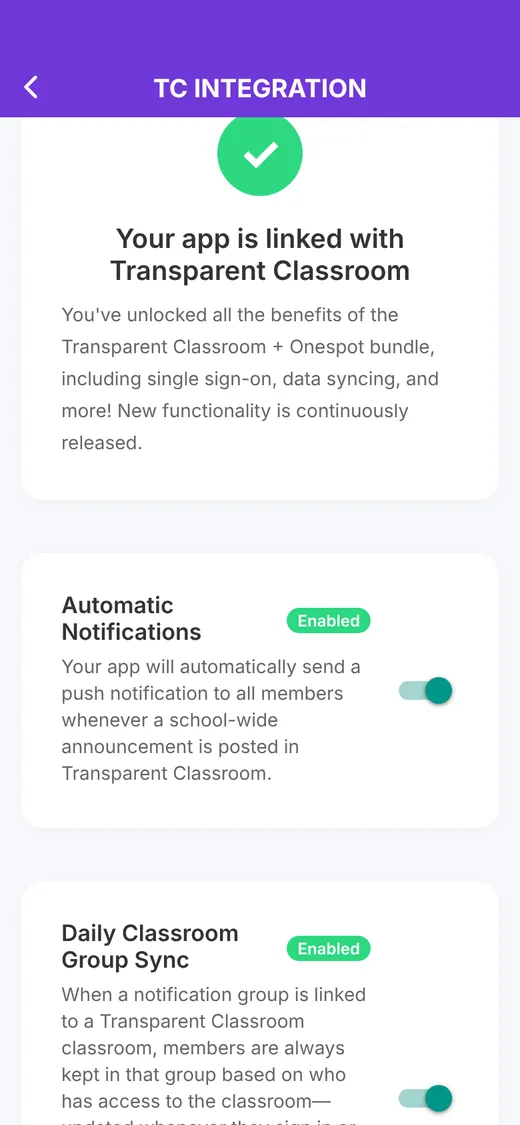
Tied into Transparent Classroom announcements
Turn on Automatic Notifications and every schoolwide announcement posted in Transparent Classroom goes out as a push notification to all app members.
It works the other way too. An announcement written in Onespot can also be posted as a Transparent Classroom announcement, so families see it in both places.
- TC to push, automatically
- Onespot to TC
SMS and push alerts for urgent updates
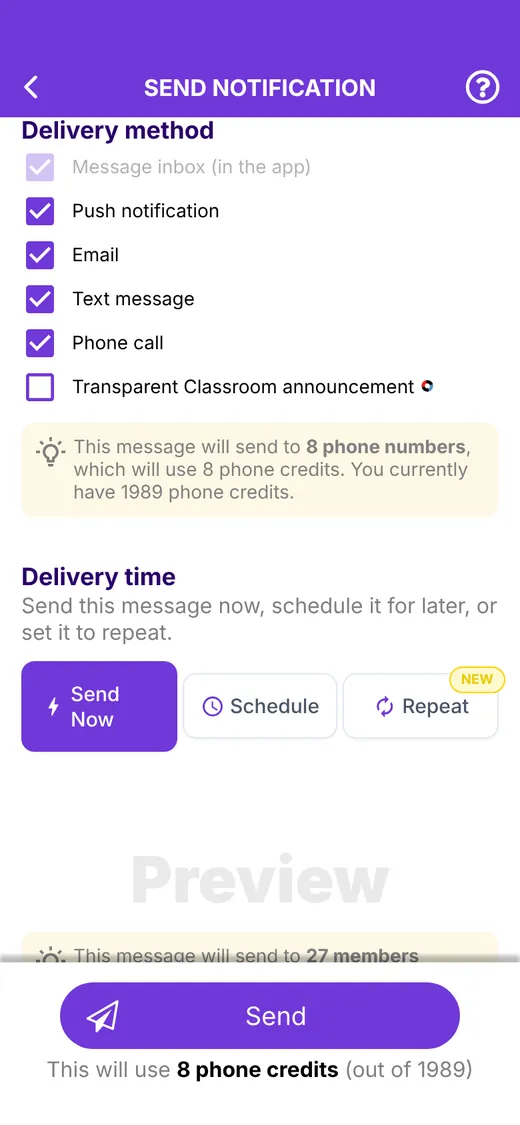
Snow day or early dismissal? Check push, text message, and phone call, then send once. Push notifications are unlimited, and bulk texts reach families who haven't downloaded the app yet.
Banner messages
Keep the most important message at the top of every home screen.
See Onespot and Transparent Classroom working together
Book a demo and we'll walk through chats, feeds, urgent alerts, and how your Transparent Classroom setup carries over.
Book a demo
Questions first? Email contact@onespotapps.com
Onespot + Transparent Classroom
Want to explore the full bundle?
Chats and feeds are one part of Onespot. Here's what else schools on Transparent Classroom run from the same app.
-
Tuition billing & payments
In-app tuition payments, automated subscriptions, and a billing dashboard that stays in sync with Transparent Classroom and QuickBooks. Powered by Stripe.
Linked to each child in TC
Explore tuition billing and payments
-
Forms, enrollment & admissions
Online applications with application fees, enrollment contracts, and forms families fill out in the app. Bill children based on their form responses.
Works with TC forms
Explore forms, enrollment, and admissions
-
Websites
Tell us about your school and we'll design and build your whole website. Change it anytime in plain English, on your own web address.
Made for Montessori schools Explore websites -
Other Onespot features
Events calendars, sign-ups, absence forms, banner alerts, documents, and more, all in your school's own branded app.
One app for your whole school Explore other Onespot features